
← All articles
AI Coding Agent Skills Library: An A/B Benchmark
Same AI agent, same brief, one with a Claude Code skills library and one without. Real A/B numbers on tool calls, output, and which build a human preferred.
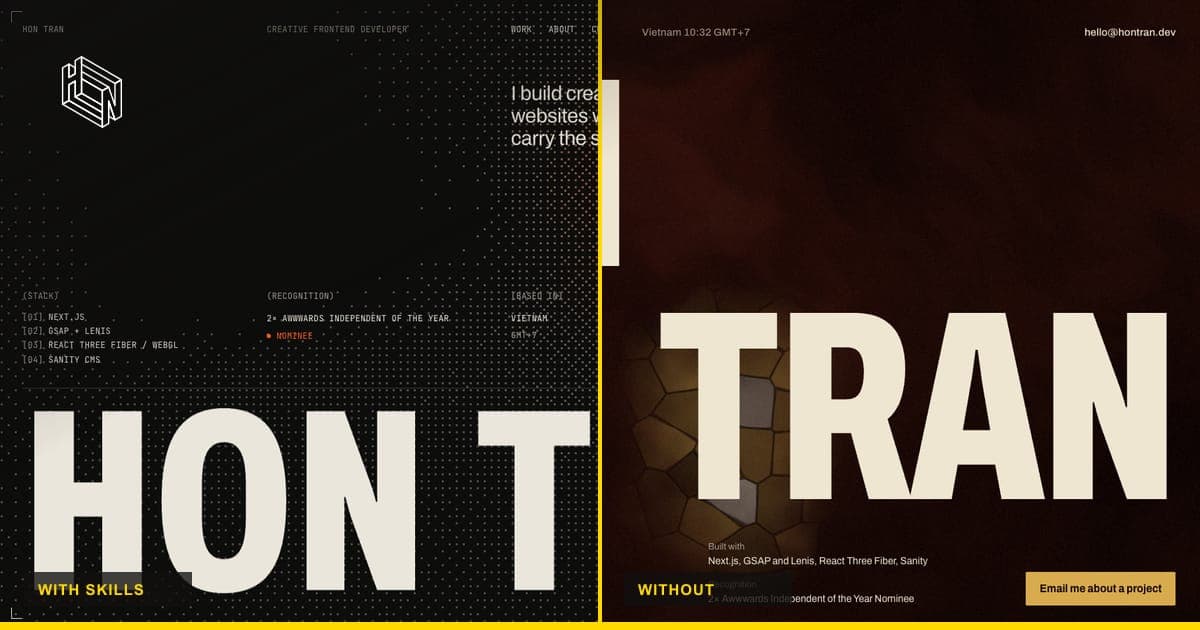
I run an AI coding agent skills library — a private set of house rules, patterns and a solved-case archive that my Claude Code agent loads before it touches a real project. It is easy to claim a setup like that makes an AI agent "better." It is much harder to prove, because the honest comparison — same brief, same model, with and without — almost never gets run. So I ran it. Two git worktrees, one brief, one model, one variable: whether the agent had my skills library loaded. Here is exactly what happened, the real numbers, and the one result that surprised me.
The setup
Date: 2026-09-23. Task: build a brand-new preloader and hero section for hontran.dev, starting from an empty repo. Two isolated git worktrees, run in parallel, same model throughout (Claude Opus), and an identical brief with identical facts to work from — my name, my stack, and "2× Awwwards Independent of the Year Nominee" (nominee, never winner — that distinction matters and both arms had to get it right).
The only difference between the two runs:
- Arm A loaded my skills library:
hon-conventions,hon-nextjs,hon-animation-system,hon-webgl-patterns,hon-responsive— five skills — plus whatever solved cases applied from a case archive of roughly 98 bug-to-fix records accumulated across real client projects. - Arm B got the same brief with a generic frontend-design skill and nothing else — the control for "a capable model with no house context."
Both were told to design and build a complete, original concept. Neither was told what the other would build.
Arm A: with the skills library
Loading the five skills pulled in real constraints before a single line of code got written: SSR the hero and keep only the <canvas> client-side (no layout shift), drive Lenis, GSAP and React Three Fiber off one clock (Tempus, with R3F set to frameloop="never" and advanced manually so nothing drifts out of sync), and lay everything out on a 4/6/12 grid.
It also pulled in four already-solved cases, including one that's easy to lose a session to: WebKit's document.fonts.ready doesn't resolve when you'd expect — it waits for window.load, not for the fonts. The case library's fix: gate on document.fonts.load() for the actual font faces in use instead. That fix went in on the first pass, because it was already written down.
The concept it built: the preloader is a crop-marked frame — like a print registration mark — with an odometer counting 000 → 100 and a live WebGL shader running inside the frame. On exit, the frame expands to fill the viewport and its four crop marks travel outward to land at the corners of the hero. The hero itself sits over an ordered Bayer-dither shader with a pointer-reactive light, and a giant "HON TRAN" fills the column.
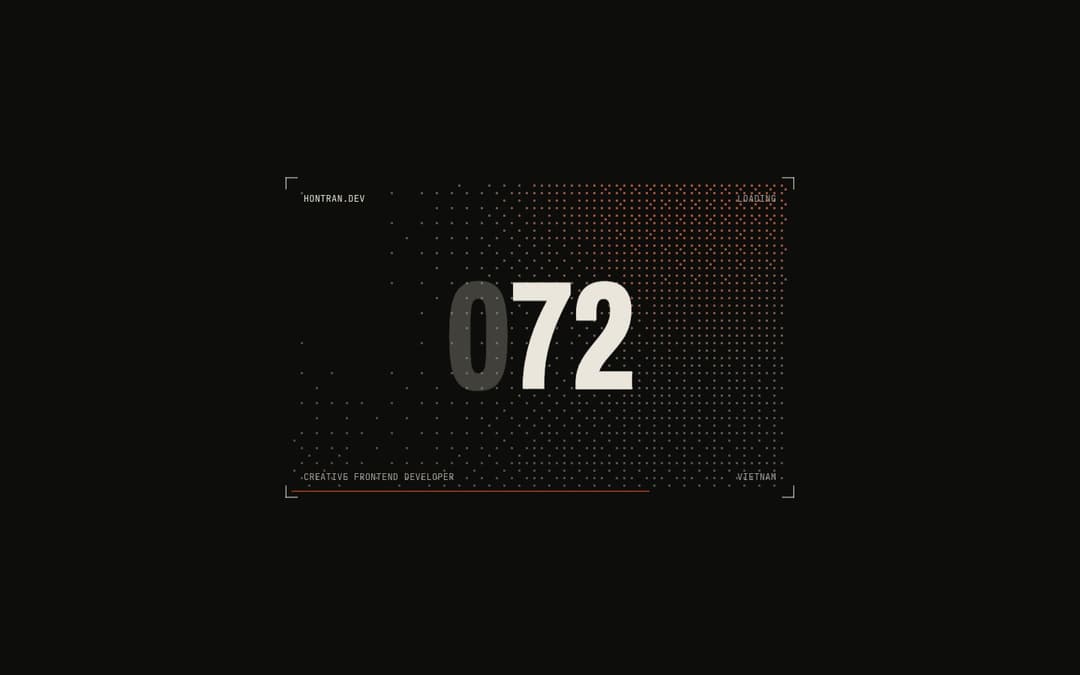
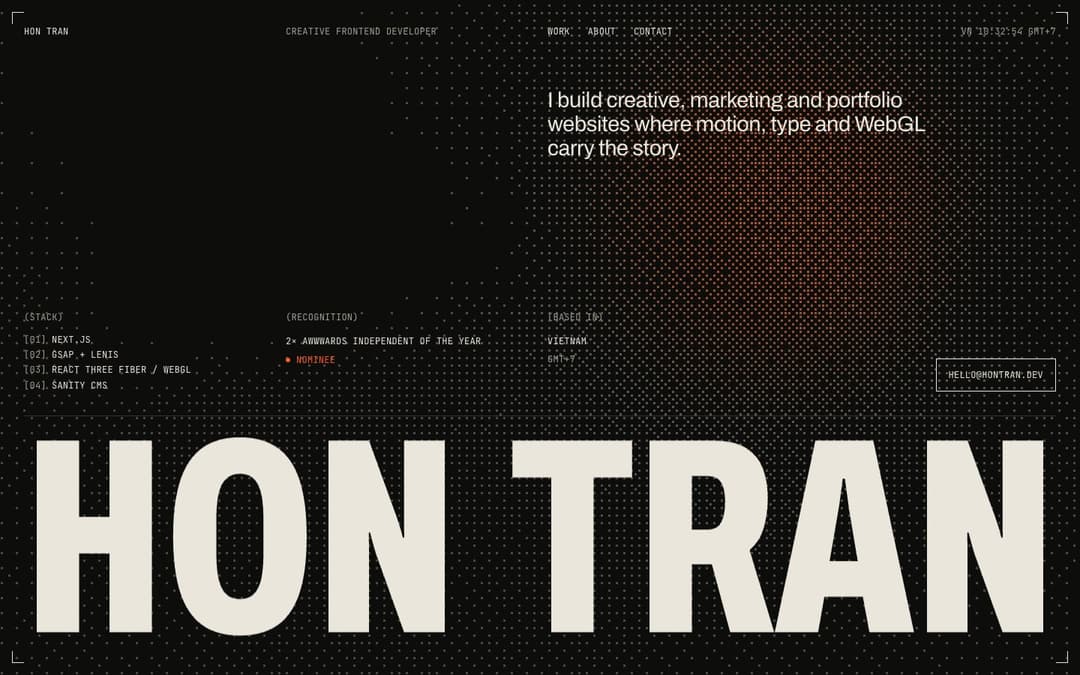
Total: ~13.5 minutes, 68 tool calls, 73 files, ~5.3k lines.
Arm B: the control
Arm B had no house skills — just a generic frontend-design skill and the same brief. Its concept, independently: Vietnamese lacquer (sơn mài). Seven lacquer coats brush up behind a counter, wipe away to reveal a lacquer fBm shader that the pointer "sands" to expose gold crackle underneath. "HON" and "TRAN" tighten in width as the intro resolves.
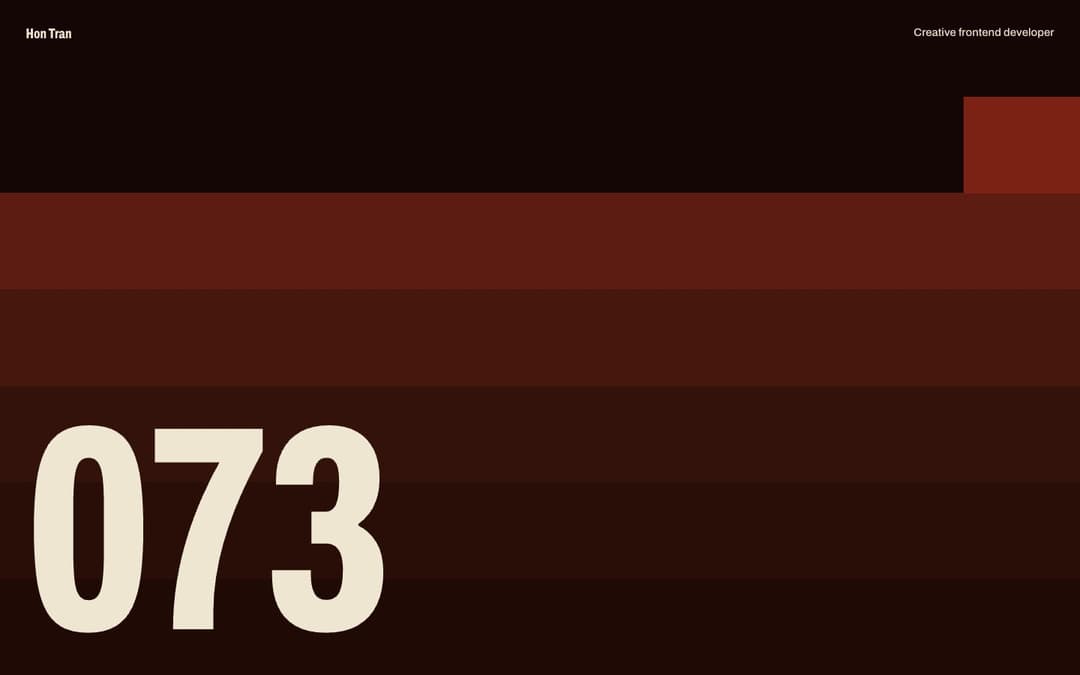

It's a genuinely good idea — arguably the more original concept of the two on paper. But without the case archive behind it, it re-discovered two things the hard way. It hit the exact WebKit document.fonts.ready trap Arm A's case library sidesteps, and it shipped an R3F bug from scratch — a uniforms prop that gets cloned on re-render, leaving the canvas black — and had to debug it live instead of never encountering it.
Total: ~12 minutes, 42 tool calls, 16 files, ~2.3k lines.
The numbers, side by side
| Arm A — with skills | Arm B — without | |
|---|---|---|
| Skills loaded | 5 (hon-conventions, hon-nextjs, hon-animation-system, hon-webgl-patterns, hon-responsive) | 1 generic frontend-design skill |
| Solved cases applied | 4 | 0 (hit 1 of them fresh: the WebKit font trap) |
| Time | ~13.5 min | ~12 min |
| Tool calls | 68 | 42 |
| Files | 73 | 16 |
| Lines | ~5.3k | ~2.3k |
| Bugs debugged from scratch | 0 | 2 (WebKit fonts, R3F uniforms clone → black canvas) |
| My score (visual + wow) | 10/10 | 5/10 |
The twist: the AI's own judgment was wrong
Before I looked at either build myself, I asked the model to score both arms from static screenshots. It called the concepts roughly a tie and, if anything, leaned toward Arm B's lacquer idea — sơn mài is a strong, original hook on a still image.
Watching the two live, motion and all, I scored it 10/10 for Arm A against 5/10 for Arm B — not close. The gap isn't in the concept. It's in the craft the case library encodes: one shared clock so nothing drifts, a font-loading gate that doesn't leave a flash of unstyled text on Safari, crop marks that travel continuously from preloader to hero instead of just cutting. None of that reads in a screenshot. All of it reads the instant the page moves.
That's the actual lesson, and it cuts against how these evaluations usually get done: a static-screenshot judgment — by a model or by a person skimming a deck — will not catch what a live build earns or loses. For creative and motion work, the eye watching it run is the only judge that counts.
What a skills library actually buys
The five skills are house conventions written down once — grid, styling lanes, animation architecture, WebGL patterns, responsive rules — so the agent doesn't have to re-derive them from taste it doesn't have. The case archive is the part that compounds: roughly 98 real bug-to-fix records from shipped projects, each one a mistake paid for once and never paid for again. A component registry does the same job for anything that's been built and proven portable before. It's the same instinct behind giving an agent a persistent index of a codebase instead of re-exploring it from zero every session — except here the index is judgment, not just file locations. None of it is the model getting "smarter." It's a senior developer's accumulated judgment — the calls you only learn to make by shipping and breaking things — made available to the agent as data instead of staying locked in one person's head.
That's the same gap that separates a creative developer from a template or a generic agency build: the difference was never really about who can write the code. It's who has already paid for the mistakes. This benchmark is the same finding, one layer down — applied to the AI agent doing the building instead of the human.
Both hold up at phone width too — the hon-responsive skill on Arm A carried its grid discipline down to mobile; Arm B's build reflowed cleanly on its own.


Honest caveats
This is one run, not a study, and it should be read that way:
- n=1. One brief, one pair of runs, no repeats. Directionally strong, not statistically proven.
- Arm A was heavier than a one-section brief strictly needs — it scaffolded a codebase map and a debug grid the way a full project setup would, work a lone preloader-and-hero brief doesn't require.
- The control wasn't perfectly clean. The agent in Arm B still had access to some global assistant instructions, not a truly bare model.
- Tested in Chromium only. No cross-browser pass on either arm beyond that.
FAQ
Does an AI coding agent actually need a "skills library"?
Not to produce working code — both arms shipped a complete, functioning preloader and hero. It needs one to skip re-discovering the mistakes a specific codebase and a specific set of house conventions have already paid for once, and to make calls (grid, clock architecture, font-loading edge cases) that otherwise depend on taste the model doesn't have on its own.
Why did the AI's own screenshot-based scoring get it wrong?
Because the difference between the two builds lived in motion and continuity — a shared clock, crop marks that travel instead of cut, no font-loading flash — none of which shows up in a still frame. A static screenshot judged the concepts as roughly tied; watching both live, the gap was 10/10 against 5/10.
Is more tool calls and more files always better?
No — Arm A used more of both, but that reflects a case library actively catching problems and applying fixes mid-build, plus scaffolding beyond what this specific brief needed, not busywork. The output that matters is the finished build, and on that axis the two arms were not close.
If you're evaluating how an AI agent actually performs on your own site versus how it looks in a demo, this is the kind of gap I mean: the difference between a fast, plausible answer and one built on hard-won, encoded taste — the same thing that separates a creative developer from a generalist build in the first place, whether a human or an AI agent is doing the typing. That accumulated judgment is what you're paying for either way. If you want it applied to your own project, let's talk about your build.
Related posts

July 16, 2026
8 min read
A Codebase Map for AI Coding Agents (Real Numbers)
Every fresh AI agent session re-greps your repo from zero. A generated codebase map plus a patterns file cut tool calls 58% — real numbers and the design.

July 10, 2026
6 min read
Developer for Designers: The Hoàng Moe Build
A developer for designers breaks down the Hoàng Moe build — how a designer's personal site got its reading UX, theme system and motion, engineered at full fidelity.

July 10, 2026
7 min read
Travel Website Design: An Immersive Case Study
A travel website design case study — building an immersive tourism experience with Next.js, GSAP and WebGL that makes visitors feel the destination and book.